

The Fitzpatrick Firm continues to earn strong ratings from Atlanta personal injury clients in 2026.…
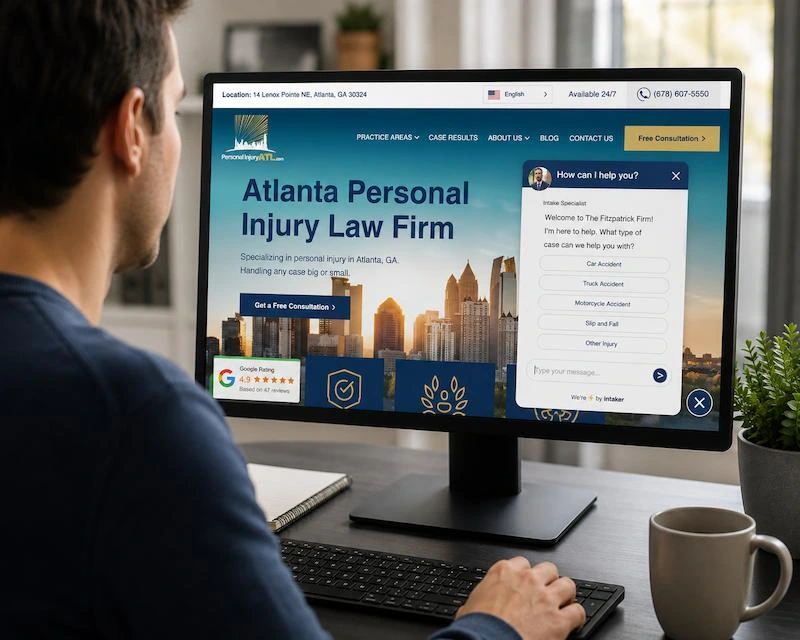
When you have been injured in an accident, figuring out how to contact a law firm may feel like another task on an already long list.
The Fitzpatrick Firm now offers Intaker Live Chat on our website to make it easier to reach out to a trusted Atlanta personal injury lawyer. You can open the chat from your phone, tablet, or computer, answer a few simple questions, and share the basic details of what happened.
Table of Contents
What is the Purpose of the New Intaker Chat Feature?
The live chat is designed to guide you through the basics. You do not need to know legal terms. You do not need to have every document ready. You only need to answer a few straightforward questions so our team can better understand what happened and how to follow up with you to discuss the case or schedule a consultation.
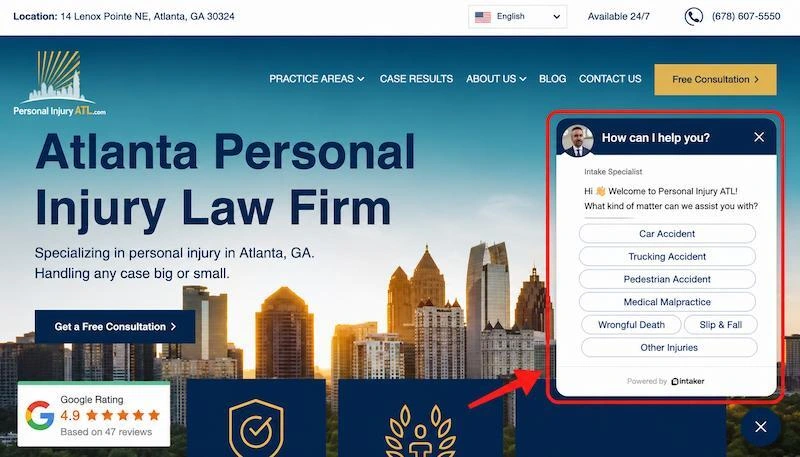
Need Help Fast? Start With the Convenient Chat Button
The fastest way to use Intaker Live Chat is to look for the chat bubble or message window that appears on the bottom right-hand side of our website. It will usually show up shortly after the page loads as a pop-up, then minimize to the lower right-hand corner.
On a phone, the chat button will similarly appear near the bottom of your screen. On a desktop computer, it is usually easier to see because there is more screen space. If you do not see it right away, give the page a moment to load, scroll slightly, or refresh the page.
Once you see the chat button, click or tap it to open the conversation.
Step 1: Open the Intaker Live Chat Window
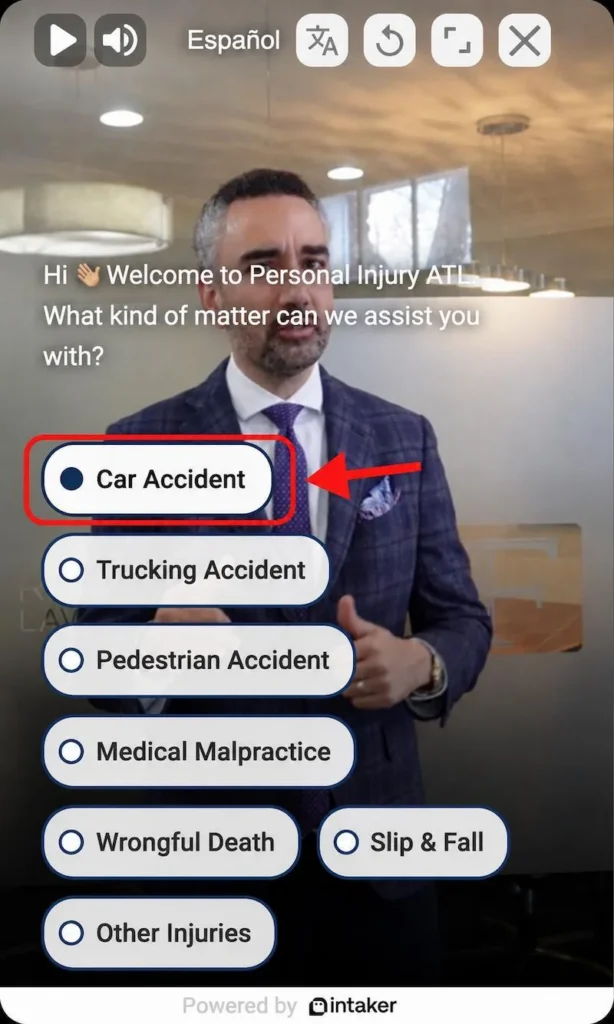
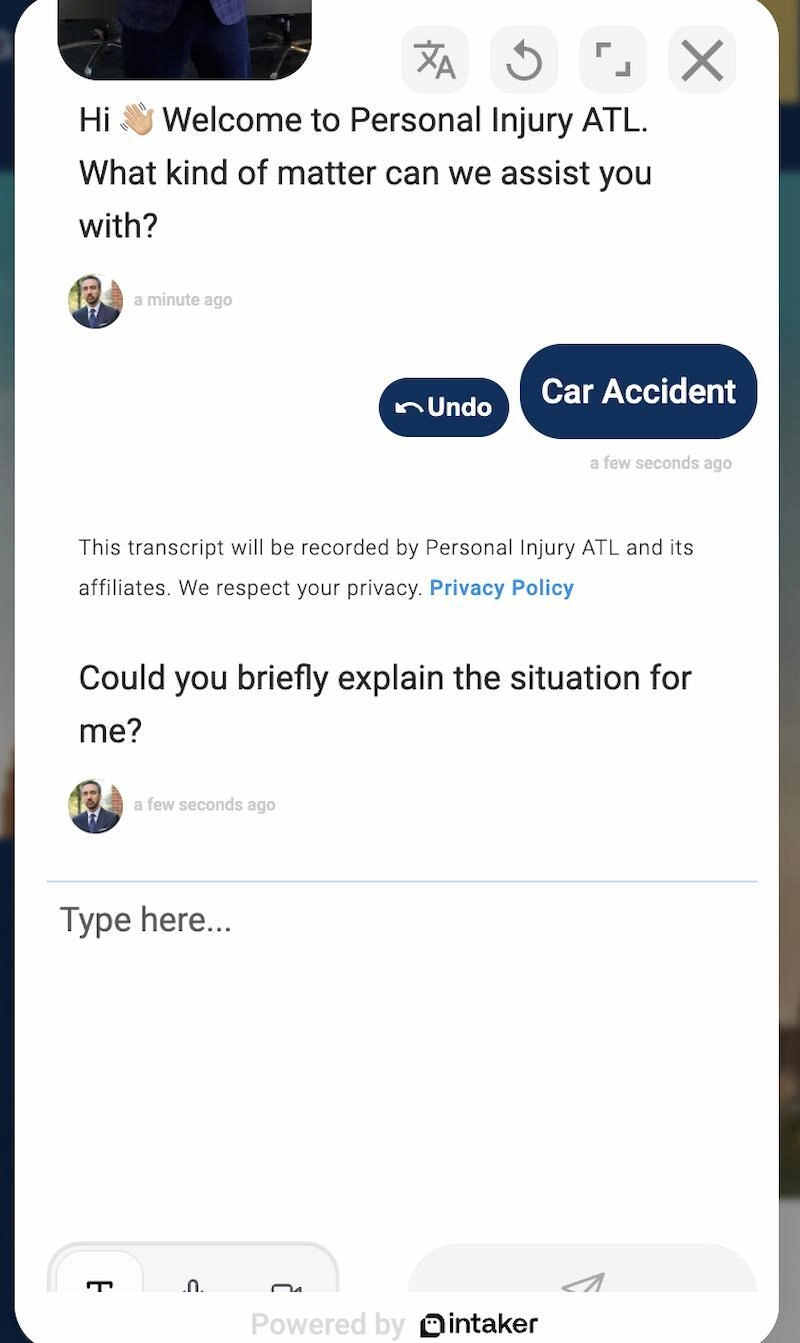
After you click the chat button, a small chat window should open on the screen. This is where the tool begins asking questions. The first message may welcome you, ask what type of help you need, or invite you to describe what happened.
Do not worry about writing a perfect explanation. The goal is to start with the basic issue, such as:
- “I was in a car accident in Atlanta.”
- “I slipped and fell at a store.”
- “My family member was injured in a truck accident.”
- “I think I am a victim of medical malpractice.”
- “I need to know if I have a personal injury case after getting hurt on the job.”
The chat is there to help organize the next step, collect information, and eventually lead you toward connecting with our personal injury attorney who can help.
Step 2: Choose the Option That Best Matches Your Situation
The chat will ask you to choose from a few options. Simply select the option that is closest to your situation, even if it is not exact. For example, if you were injured in a rideshare crash, a general “car accident” option is still the best starting point.
You will see options related to personal injury matters such as car accidents, truck accidents, slip and fall injuries, motorcycle accidents, workplace injuries, medical malpractice, wrongful death, or other accident-related questions.
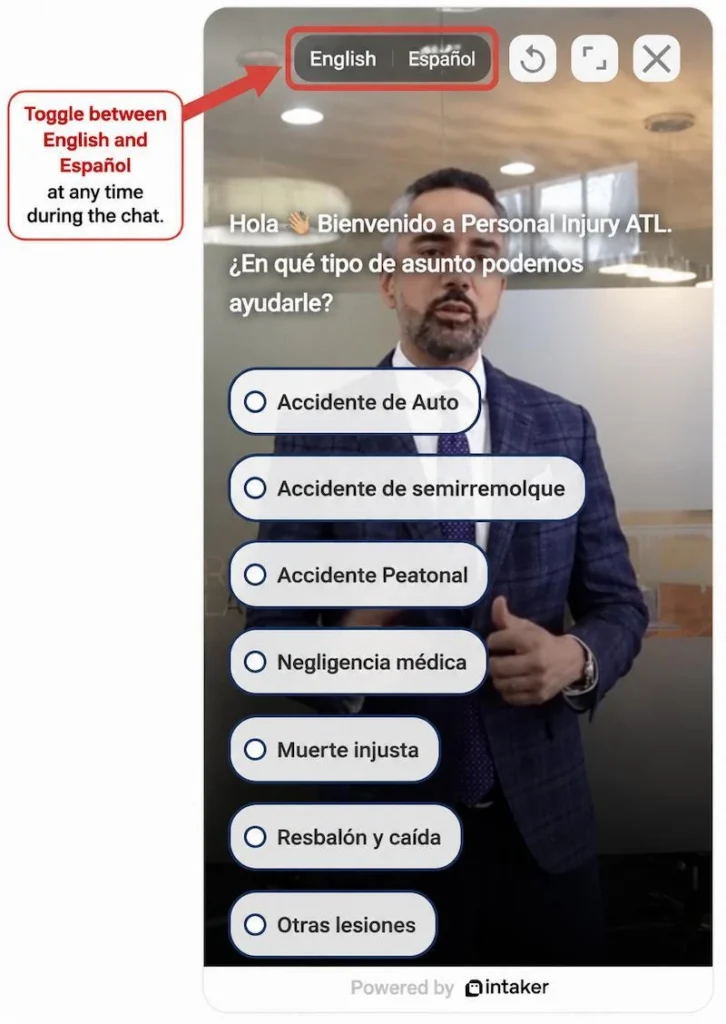
The Intaker Chat also has an option for Spanish or English. You can toggle the choice based on your language preference.
Step 3: Enter Your Contact Information Carefully
The chat will then ask for your name, phone number, email address, or other contact information. This step matters because our team needs a way to follow up with you. Before submitting, take a moment to check that your phone number and email address are correct. A single mistyped digit can make it harder for the firm to reach you.
If you are helping a loved one, you can explain that in the message. Include whether you are the injured person, a family member, or someone assisting with the first contact.
Step 4: Describe What Happened
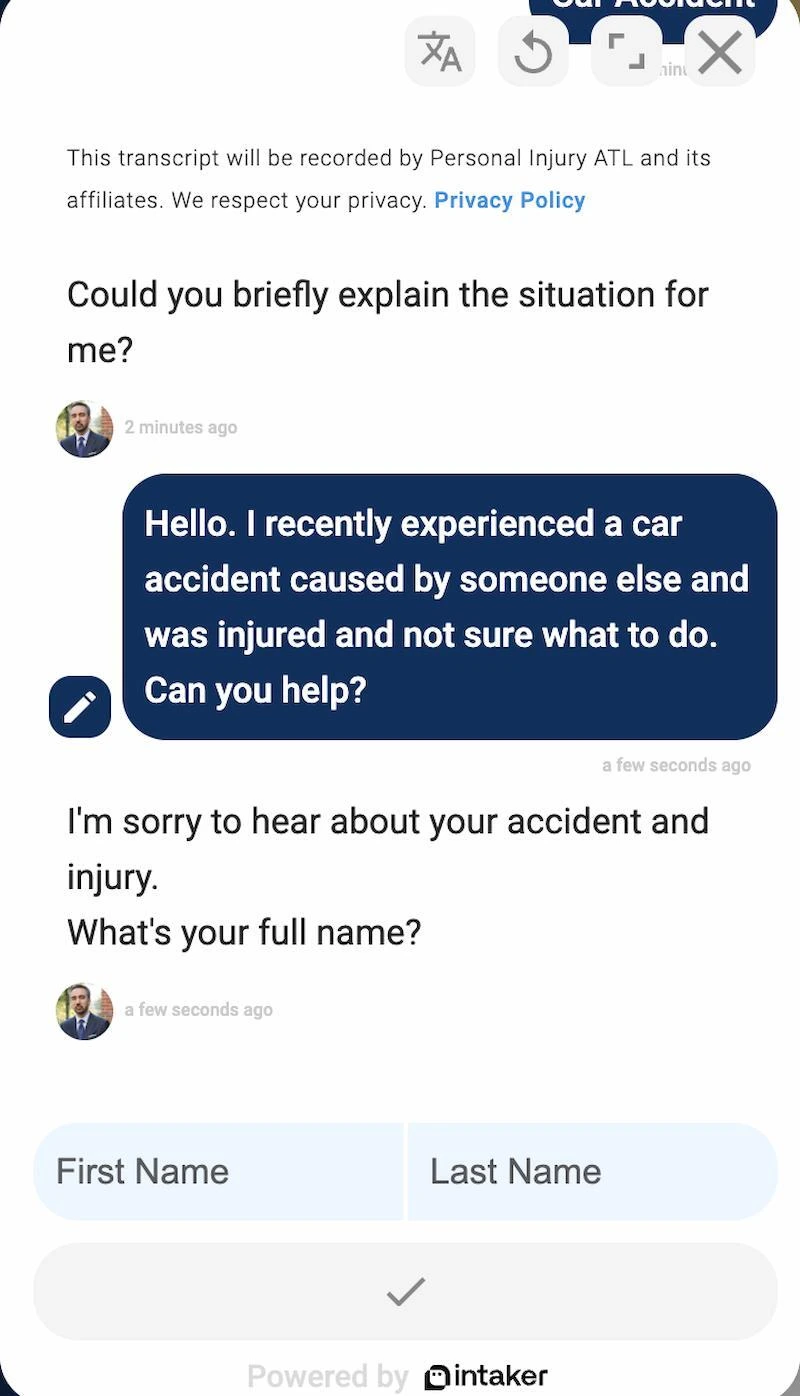
After you select the type of matter, the chat asks you to briefly explain the situation. You can type a short summary in your own words. There is no need to provide every detail at once.
For example:
“I recently experienced a car accident caused by someone else. I was injured and am not sure what to do next.”
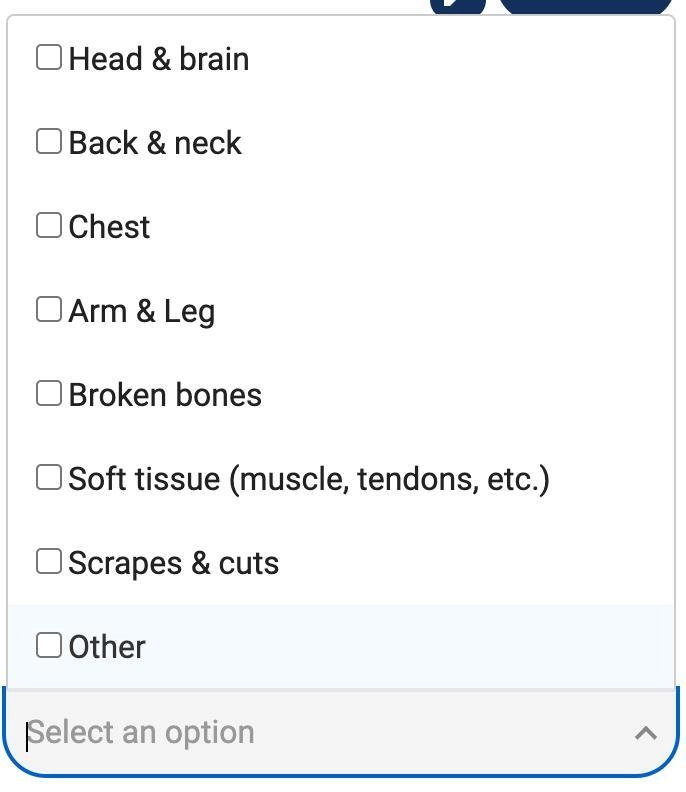
The chat then asks for your name and guides you through a few follow-up questions. Depending on your answers, you may be asked about:
- The areas of your body that were injured
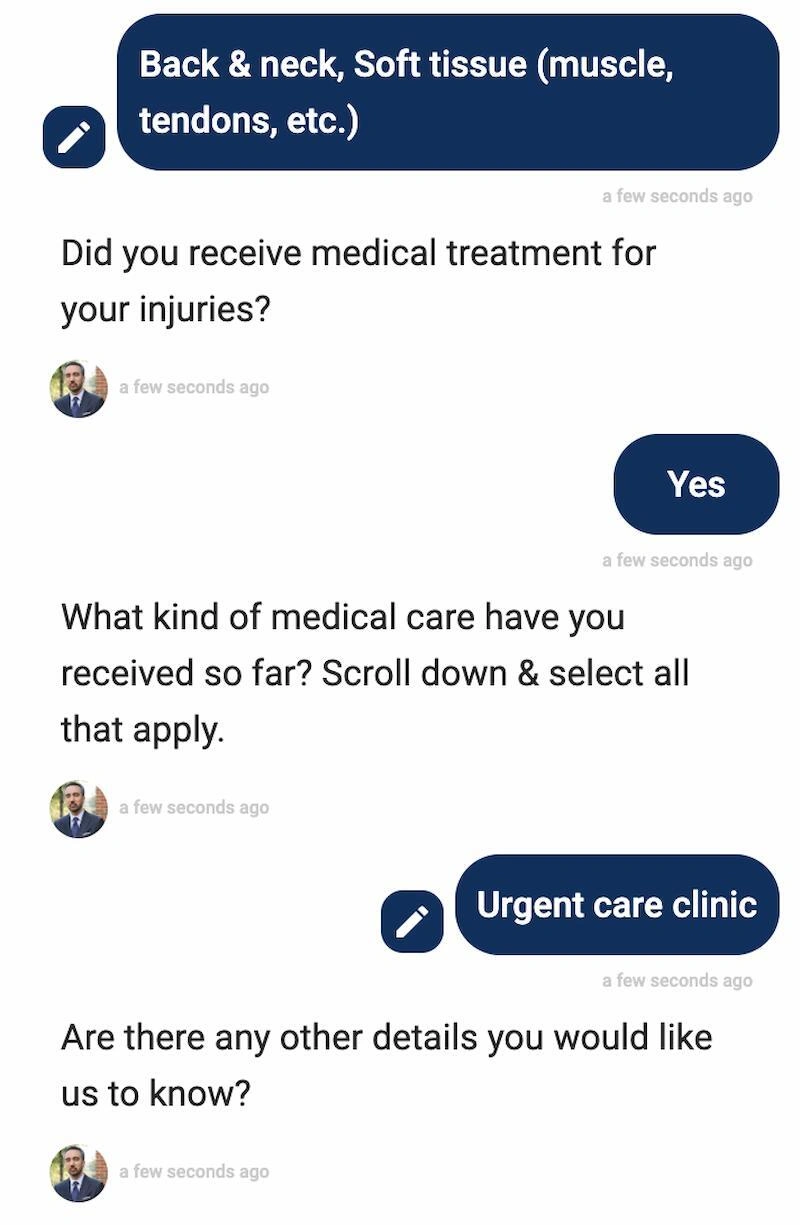
- Whether you received medical treatment
- What type of medical care you received
- Any other information you want the firm to know
Some questions allow you to select more than one answer. For example, you may be able to choose both “Back & neck” and “Soft tissue” injuries. When asked about medical treatment, select the option that best matches the care you received, such as an urgent care clinic or emergency room.
You can also add a final note asking if there are other details you’d like the firm to know before contacting you directly. You can include information about property damage, insurance information, or anything else that may help us understand your situation better.
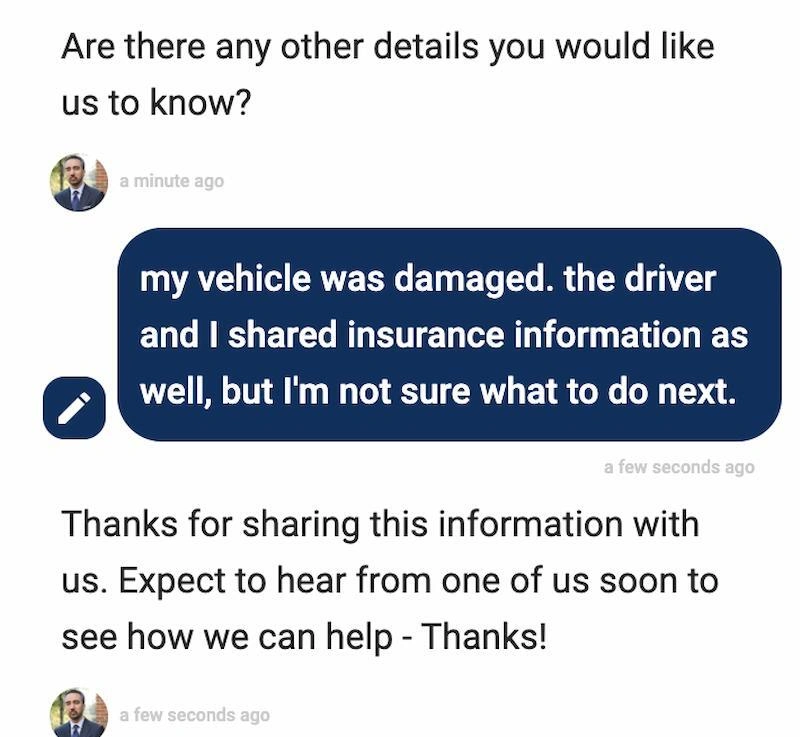
Step 5: Submit the Chat and Watch for the Confirmation Message
Once you answer the required questions, submit the chat. You should see a confirmation message or final screen letting you know that your information was received and that The Fitzpatrick Firm will reach out to you about your case. You will receive a follow-up text, email, or phone call once our office can review your request for contact.
If your matter is urgent, you can also call The Fitzpatrick Firm directly at (678) 607-5550, available 24/7.
What Information Should You Have Ready?
You do not need a complete file before using the chat. Many people reach out before they know the full extent of their injuries, receive a police report, or understand what the insurance company may do next.
If you have the information available, it can help to share:
- The date of the accident or incident
- Where it happened
- A brief description of what occurred
- The injuries or symptoms you have experienced
- The names of the people or businesses involved
- Any available insurance information
- Whether you received medical care
- Whether police, emergency responders, or property staff created a report
- Whether an insurance company has already contacted you
If you do not have all of these details yet, that is okay. Start with what you know rather than delaying contact because some information is still missing.
Can You Use the Chat Feature From Your Mobile Device?
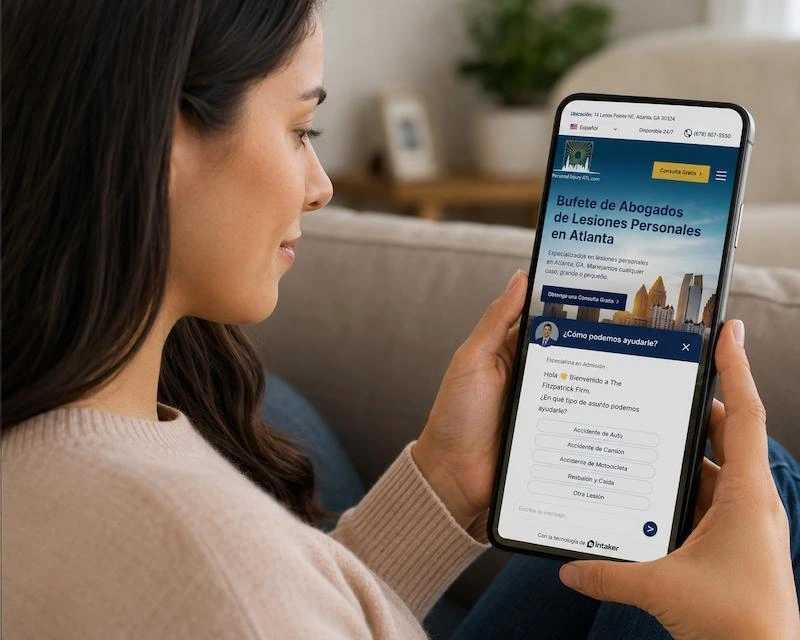
Yes. Intaker Live Chat is especially useful for mobile users because many people visit a law firm website from the scene of an accident, a hospital waiting room, a passenger seat, or home while recovering.
On a phone, the chat window may take up more of your screen. If the keyboard covers part of the chat, scroll within the chat window or tap outside the text box to view the next message.
If you lose the chat by closing the browser tab, return to the website and open the chat again. You may need to restart the conversation if the earlier session did not save.
What If the Chat Does Not Open?
Technology is helpful, but it is not perfect. If the Intaker Live Chat does not open, try these simple fixes first:
- Refresh the page and give it a few seconds to load.
- Check whether your browser is blocking pop-ups, scripts, or website features.
- If you are on a weak mobile connection, switch to Wi-Fi or try again when the signal improves.
- You can also try opening the website in another browser.
If the chat still does not work, use another contact method on our website or call our Atlanta law firm directly at (678) 607-5550.
Is the Intaker Chat Private?
You should treat the chat like any online contact method. Use it to share the basic information needed for the firm to understand your request and follow up. Avoid sending highly sensitive documents, full medical records, Social Security numbers, financial account numbers, or anything you would not normally submit through an online form unless the firm specifically instructs you to do so through a secure method.
Also, using the chat or sending information through the website does not automatically create an attorney-client relationship. A formal attorney-client relationship is created only after the firm confirms representation in writing. The chat is a convenient way to start the process and request help, but does not
When Should You Use the Live Chat?
The chat can be helpful when you want to reach out but are not ready for a phone call, when you are outside regular office routines, or when you want to send the basic facts while they are fresh in your mind.
It can be especially useful if:
- You were recently injured and do not know what to do next
- You want to ask whether your situation may involve a personal injury claim
- You are helping a family member contact an attorney
- You want to request a free consultation
- You need a simple way to share your contact information
For emergencies, call 911 or seek medical care first. The chat is for contacting the law firm, not for emergency medical or safety assistance.
Start a Conversation with an Atlanta Personal Injury Lawyer
The first step after an accident can feel overwhelming, especially when you are dealing with pain, transportation issues, missed work, medical appointments, or calls from an insurance company. Intaker Live Chat gives you a simple way to contact The Fitzpatrick Firm and share what happened without having to navigate the legal process on your own.
To get started, visit our website and look for the chat button. Answer the prompts as clearly as you can, submit your contact information, and our team can review your message.
If you’d prefer to speak to a representative during regular business hours, please call us at (678) 607-5550 or fill out our online contact form to schedule a FREE consultation with Attorney Fitzpatrick.
About the Author
